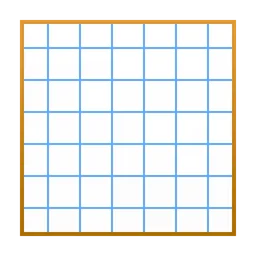
Karo Graph for MAC
Free Mac app for simple vector drawings on graph paper: flowcharts, technical drafts and diagrams, exported to PDF, EPS, SVG or ASCII art.
Karo Graph Overview
Karo Graph is a small Mac app for drawing simple vector graphics on a grid, like on graph paper. You draw with lines, rectangles, arrows, symbols, text and color, which makes it quick to create flowcharts and logic diagrams, technical or architectural drafts, room layouts, GUI mockups, physics diagrams for teaching, LEGO building plans, game level designs or knitting patterns. The grid can be adjusted for precise alignment, line widths and arrow styles can be changed and the symbols can be customized.
Karo Graph is made by Tobias Stamm and is free on the Mac App Store. Drawings can be saved or shared as PDF, EPS, SVG or plain text ASCII art. The app is tiny, under 1 MB, needs macOS 10.13 or later and works well in full screen and with drawing tablets. Version 2.1.2 fixes pinch to zoom and adds separate scroll direction and scroll speed options. The developer's website also offers an older direct download, version 2.0.18.
Key Features
Karo Graph focuses on clean diagrams without clutter.
- Grid drawing: draw on a customizable grid for precise alignment.
- Basic shapes: lines, rectangles, arrows, symbols and text.
- Curated colors: a palette chosen for printing and presentations.
- Line and arrow styles: adjustable line widths and arrow styles.
- Custom symbols: fully customizable symbols.
- Export: PDF, EPS, SVG and ASCII text art.
- Multiple windows: open more than one window per document.
- Tablet friendly: made for full screen and drawing tablets.
What’s New in Version 2.1.2
Karo Graph 2.1.2 fixes zooming and adds scrolling options.
- Fixed pinch to zoom not working
- Fixed a potential crash when scrolling with the Option key
- Added an option to invert horizontal and vertical scrolling separately
- Added a scroll speed option to the preferences
Karo Graph FAQ
Is Karo Graph free?
Yes. Karo Graph is free on the Mac App Store.
What is Karo Graph used for?
For simple vector drawings such as flowcharts, logic diagrams, technical and architectural drafts, room layouts, GUI mockups, teaching diagrams and code documentation.
Which macOS version does Karo Graph need?
Karo Graph 2.1.2 needs macOS 10.13 or later.
Which formats can Karo Graph export?
PDF, EPS, SVG and plain text ASCII art.
How big is Karo Graph?
The Mac App Store download is about 744 KB.
Does Karo Graph work with drawing tablets?
Yes. The developer says it is optimized for full screen use and works with drawing tablets.
What is new in Karo Graph 2.1.2?
It fixes pinch to zoom and a possible crash when scrolling with the Option key, and adds separate scroll direction and scroll speed options.
Can I open a document in more than one window?
Yes. Since version 2.1 you can open additional windows per document.
Who makes Karo Graph?
Karo Graph is made by Tobias Stamm, who publishes it on his website manderc.com.
Where does the Karo Graph download on karo-graph.FULLMAC.app come from?
The download button leads to the official Karo Graph page on the Mac App Store at https://apps.apple.com/us/app/karo-graph/id557536642. karo-graph.FULLMAC.app does not change or repackage the app.
Similar Apps
 EazyDrawEazyDraw is a vector drawing app for the Mac from Dekorra Optics that combines vector drawing, structured text and symbols, so you can turn ideas into clear diagrams, technical drawings, illustrations, logos and page layouts. It reads and writes SVG natively, lets you import and edit vector content from PDF drawings, and exports to SVG, PDF, PNG, JPEG, TIFF and favicon images. For technical work it has Auto-Dimensions, grids, guides, rulers and snapping, and its integrated connectors make flowcharts and diagrams quick to build.Graphic Design
 AffinityAffinity is a professional design app for the Mac that puts three tools in one place. The Vector studio is for illustration, logos and graphic design, the Pixel studio for photo editing and retouching, and the Layout studio for page layout and publishing, and you can move between them inside the same document. Editing is non-destructive with a full undo history, and Affinity can bring in PSD, AI, IDML and DWG files.Graphic Design
 SketchSketch is a design toolkit for the Mac, made by designers for designers. You design interfaces and graphics with vector tools, Symbols and Libraries, lay out content with Stacks, add effects and shadows, and turn your designs into interactive prototypes. Documents are shared through Sketch's web app, where others can view and inspect designs for developer handoff.Graphic Design
 InkscapeInkscape is a free, open-source vector graphics editor for Mac, Windows and Linux. It is used for illustrations, logos, icons, diagrams, maps, web graphics and print layouts, and it is the best-known free alternative to Adobe Illustrator. Inkscape uses SVG, the open web standard for vector graphics, as its own format, so your drawings stay sharp at any size and work directly on websites. It is made by the Inkscape Project and its volunteers and released under the GPL license, with no ads or paid features.Graphic Design
- AKVIS CharcoalAKVIS Charcoal is an artistic tool that turns photos into charcoal and chalk drawings. You can draw with charcoal, with chalk, or combine both for a dramatic contrast between black and white, and by playing with colours and options you get effects such as Sanguine, Sepia and Sauce. The conversion can be watched in real time: the program takes snapshots while it works, and its Timeline lets you pick a variation of the drawing without changing the settings. The background paper colour, canvas textures, a signature and frames from the Decoration library finish the picture.Graphic Design
 Comic LifeComic Life is a Mac app by plasq for making comics from your own photos. You start from one of more than 60 templates or a blank page, drop in pictures from your photo library, and add speech balloons, captions, lettering and panels. Image filters give photos a comic look, and the Instant Alpha tool erases backgrounds quickly. Besides comics, you can use it for visual diaries, newsletters and more.Graphic Design
FULLMAC.app does not host this app. Download buttons lead to the developer’s own pages.